Identity Broker Forum
Welcome to the community forum for Identity Broker.
Browse the knowledge base, ask questions directly to the product group, or leverage the community to get answers. Leave ideas for new features and vote for the features or bug fixes you want most.

 UI tabs component and menu
Although the navigation has been improved with Back buttons and the Dynamic Sitemap (breadcrumbs), this is only navigation "backwards", there are still a number of problems going forward:
1. It is difficult to tell what buttons do
2. There is no standardized forward navigation process to related components and subsets of a component
3. Realestate is used poorly, and movement through the website requires a lot of scrolling
Solution:
To remedy this, the following is a suggested set of fixes:
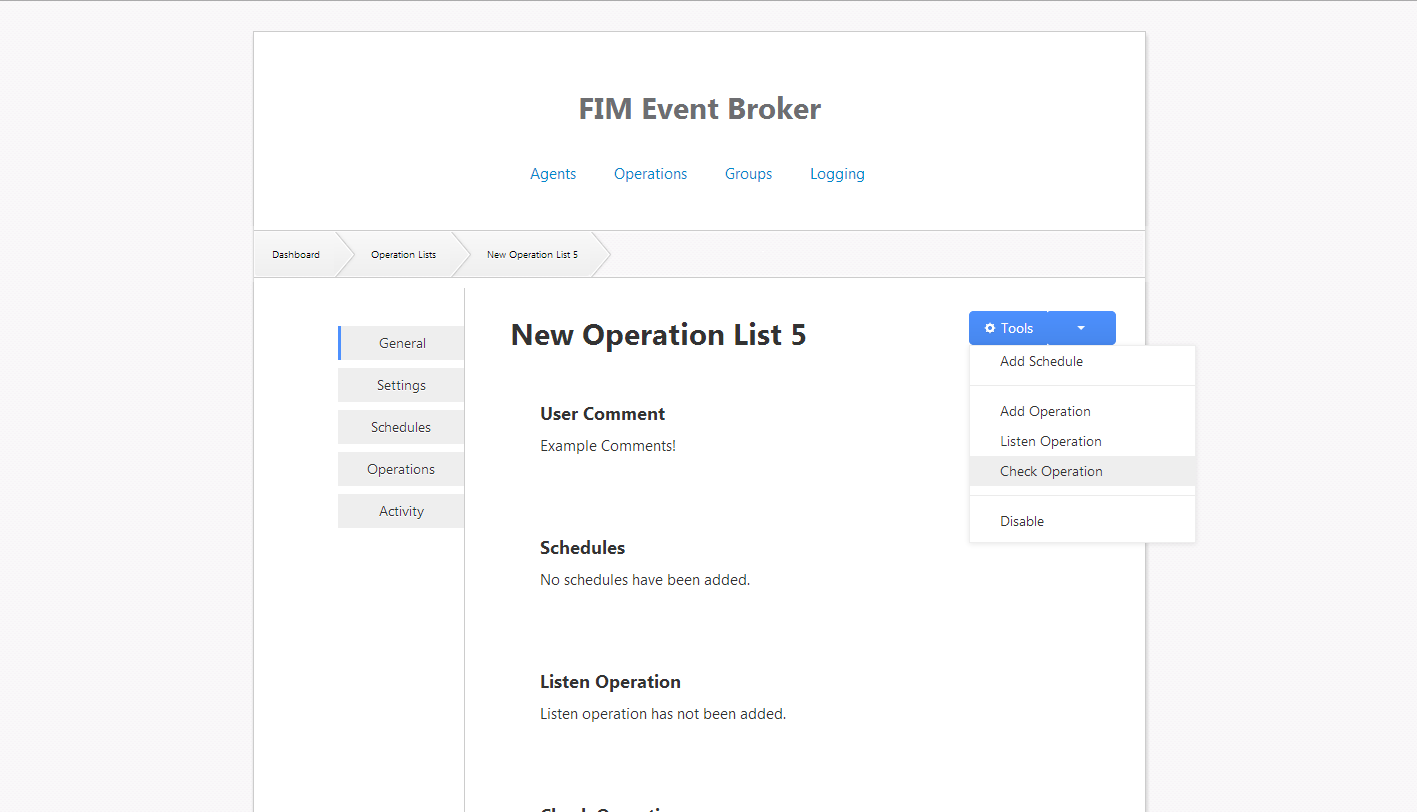
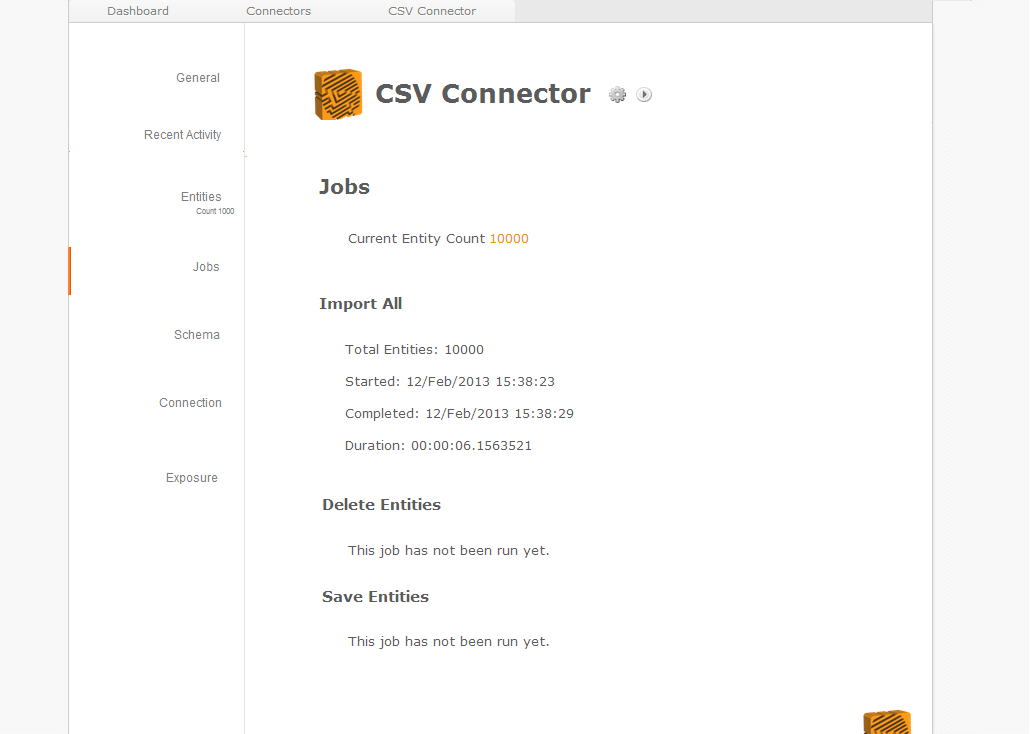
1. Include a set of links (tabs) to the left of every page that define navigation within the component or context being viewed. (e.g. Connector details would have Schedules, Schema, Timings, General tabs etc.)
2. Each page would have a drop-down collection of operations for the component or context being viewed. (e.g. Connector details would have Add Schedule, Enable, Execute Full import etc. etc.)
Benefits:
This would achieve all of the listed problems above, but would also help with:
1. Standardization of display components, leading to reusable Web components which benefits every product and every plugin.
2. Standardization of navigation, to allow for components like the EB/IDB security to apply business logic to each context.
3. An entry point for plugins to add Navigation and Operations. (e.g. FIMEngine.dll adds a FIM tab to adapters)
4. Helps with localization by reducing the noise in views.
Ultimately the overall result would be that I would be able to say "Now run a Full Import" and it would be intuitive that it's in the drop down, as opposed to "Now scroll down to where it says Full Import, then find the table icon with the green refresh icon and click that"
image (2) (1).png
image (4).png

Make add transformation button add to end instead of start
As discussed. The add transformation button should add to the end of this list of transformations, using the context of the final transformation.
Additionally, there will have to be buttons for each transformation to add a transformation previously, to allow for adding a transformation to the end.
 LDIF error message on null
In Framework Core:
A better error message could be provided when a null value has been set in an entity at the connector level. For example when the value is taken from the entity repository and that value turns out to be null.
Error appears in:
Unify.Framework.IO.LDAP\LDIF\LDIFSafeStringFilter.IsSafe
as an argument null exception.
However the value is retrieved in:
Unify.Framework.Adapter.LDIF\AdapterEntityToLDIFAttrvalRecordAdapter.GetLDIFAttrvalSpec

Identity Broker - Placeholder connector error message formatting
I received the following error message. Please note that
{0}, {1)..{n} in the error message. It looks like a String.Format issue. (note: JIRA seems to have an issue with this code block)
20130304,21:17:11,Modify anchor for entity {0}
to
{1}
from connector
{2}
failed with reason
{3}
. Duration:
{4}
,Connector,Warning,"Modify anchor for entity af369b4d-adb3-4c76-9b93-bf467f56f920 to ef7d936d-e793-462d-a215-616aeb8e4fa1 from connector User Placeholder failed with reason Connector User Placeholder does not support anchor modification.. Duration: 00:00:00
Error details:
System.NotSupportedException: Connector User Placeholder does not support anchor modification.
at Unify.Framework.ConnectorToModifyAnchorConnectorBridge.get_MultiKeyedModifyAnchorConnector()
at Unify.Framework.ConnectorToModifyAnchorConnectorBridge.ModifyAnchor(MultiKeyValue oldKey, MultiKeyValue newKey)
at Unify.Framework.EventNotifierModifyAnchorConnectorDecorator.ModifyAnchor(MultiKeyValue oldKey, MultiKeyValue newKey)
at Unify.Framework.Adapter.<>c_DisplayClass37.<CheckAnchorChangeOnSave>b_32(KeyValuePair`2 keyValue)
at Unify.Framework.Visitor.<>c_DisplayClass1`1.<Visit>b_0(T item, Int32 index)
at Unify.Framework.Visitor.VisitT(IEnumerable`1 visitCollection, Action`2 visitor)
at Unify.Framework.Visitor.VisitT(IEnumerable`1 visitCollection, Action`1 visitor)
at Unify.Framework.Adapter.CheckAnchorChangeOnSave(IEntitySchema connectorSchema, IEnumerable`1 entitiesToSave, IEntityPartitionUpdatableContext connectorContext, IEnumerable`1 entityIds)
at Unify.Framework.Adapter.SaveEntities(IEnumerable`1 entities, Boolean reflect)
at Unify.Framework.Adapter.SaveEntity(IAdapterEntity entity, Boolean reflect)
at Unify.Framework.AdapterNotifierDecorator.SaveEntity(IAdapterEntity entityToSave)
at Unify.Framework.LDIFAdapter.ExportAdapterEntity(IAdapterEntity adapterEntity, Guid adapterId)
at Unify.Framework.LDIFAdapterServiceHostDecorator.ExportAdapterEntity(IAdapterEntity adapterEntity, Guid adapterId)
at SyncInvokeExportAdapterEntity(Object , Object[] , Object[] )
at System.ServiceModel.Dispatcher.SyncMethodInvoker.Invoke(Object instance, Object[] inputs, Object[]& outputs)
at System.ServiceModel.Dispatcher.DispatchOperationRuntime.InvokeBegin(MessageRpc& rpc)
at System.ServiceModel.Dispatcher.ImmutableDispatchRuntime.ProcessMessage5(MessageRpc& rpc)
at System.ServiceModel.Dispatcher.ImmutableDispatchRuntime.ProcessMessage4(MessageRpc& rpc)
at System.ServiceModel.Dispatcher.MessageRpc.Process(Boolean isOperationContextSet)",Normal
I'll investigate the actual error separatly, but as far as this issue is concerned, I don't want the anchor modification to be reviewed. Just wanted to bring the formating of the error itself to light.

 Timeout Queue vs Exclusion
In a scenario where multiple imports occur within a connector group and the system time enters an exclusion period whilst there are still operations which are queued, Which has precedence over whether or not an import operation will occur?
The connector group queue or the dailyExclusion.
Add filter on imported contacts
The contact search should allow for filters to be set as large searches can time out.
The following fields can be filtered on:
- City
- ClientCode
- CompanyName
- ContactName
- Country
- Department
- ExcludeCategoryIDs (multiple separated by semi-colon)
- FirstName
- FolderId
- IncludeCategoryIDs (multiple separated by semi-colon)
- JobTtle
- LastName
- PhoneNumber
- PostalCode
- State
The following options can be considered:
- Multiple values for the same field are OR'd, different fields are AND'd. This would be achieved with multiple requests for each filter and field, with different fields union'd and the intersection of each field being the result.
- Multiple values for the same field only.
- Multiple values for FolderId only.
- One value for FolderId only.

Enforce mandatory fields and allow for easy filtering in default script
Currently the default provisioning script relies on "good" data being passed to it. Some changes that should be made:
- Check that all required fields (Person Number, given names, sn, termination state etc) are present
- Include an easy configuration option at the top to specify a particular PersonNumber or department so it's clear how LITE can be tested gradually.
- Include userPrincipalName in script
Import Changes on Adapters not being set as completed
Hi Product Team,
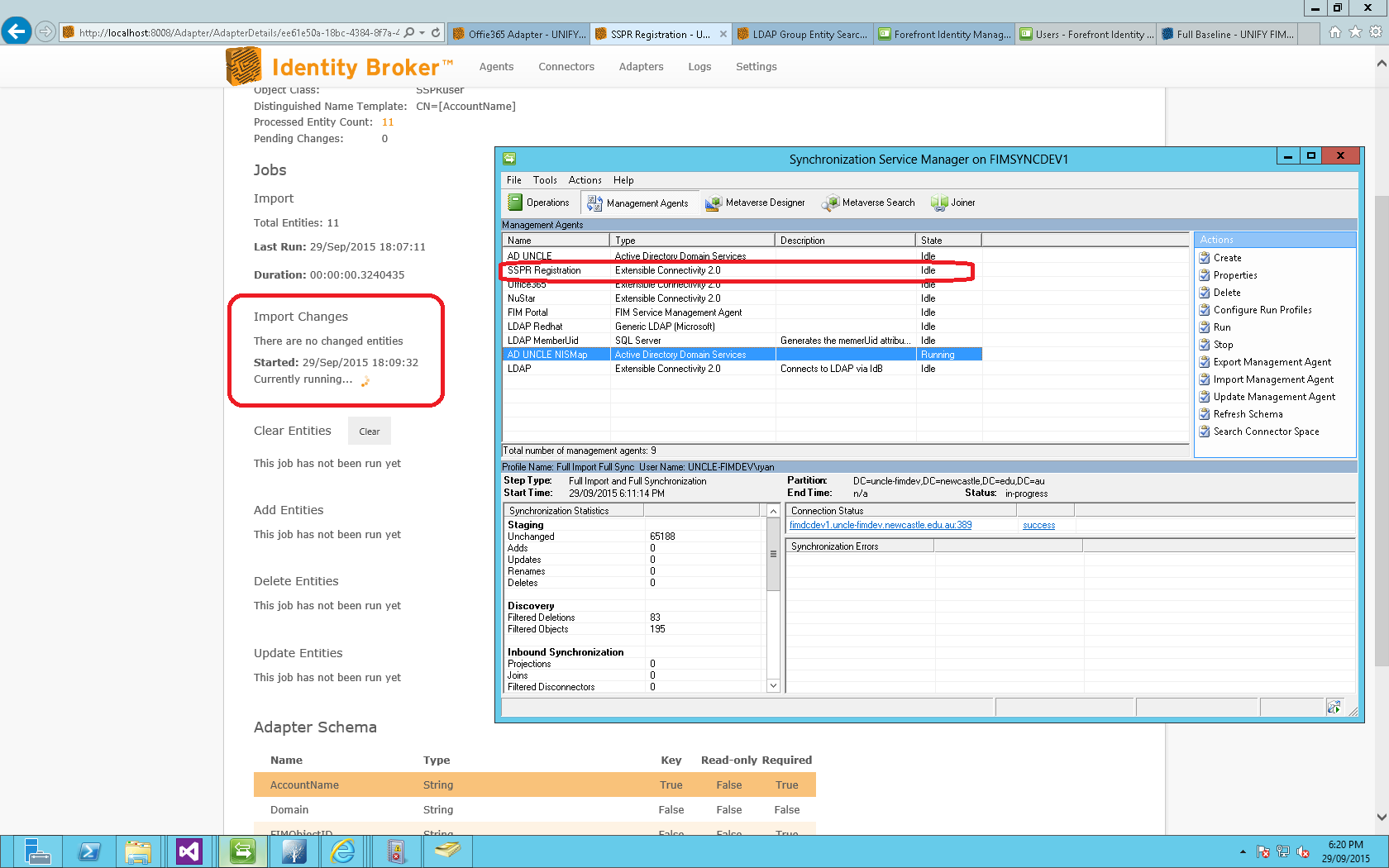
On some import change imports from MA to Adapter, the import on the adapter keeps status is marked as running regardless if it has been completed
Screenshot attached
screenshot1.png
IdB Schedules not running.
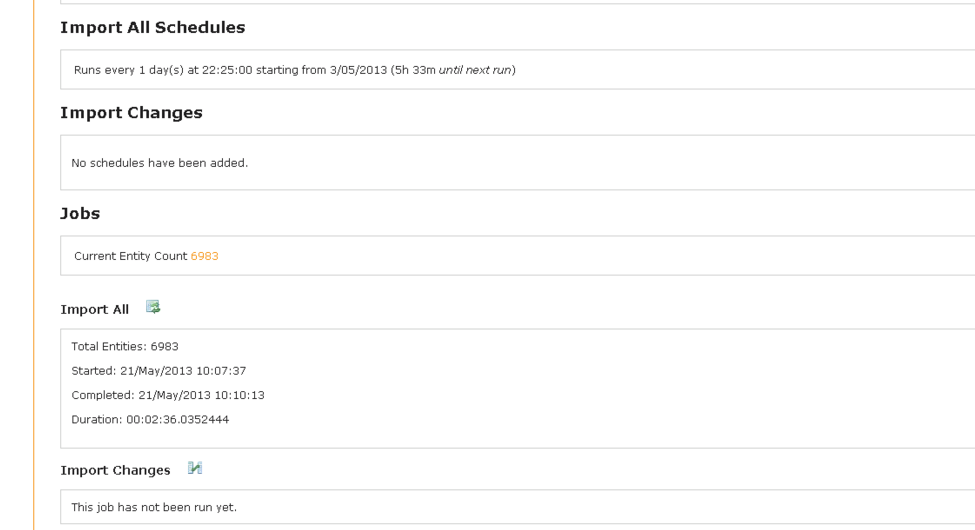
Schedules not running as shown to Tony.
May be related to TATTS-25, however the configurations were changed as advised.
Logs to be uploaded shortly.
Logs.zip
sched.PNG
tatts configs 20130605.zip
Sharepoint 2013 User Profile Web Service failing
I’m troubleshooting an issue at TAFE where the Unify web service for managing user profiles is throwing HTTP400 errors currently and was hoping you might be able to provide some guidance on where to look next.
On Richard’s advice I’ve done a WCF trace capture from the Identity Broker side and have found the following error occurring:
System.Net.Sockets.SocketException (0x80004005): An existing connection was forcibly closed by the remote host
at System.Net.Sockets.NetworkStream.Read(Byte[] buffer, Int32 offset, Int32 size)
I’ve looked through the Sharepoint logging and not found anything indicating what could be happening – therefore was hoping that you might be able to advise if there is a way to capture logs/debug the Unify solution that has been deployed within Sharepoint.
messages.zip
messages (2).zip
WCFTraceError.txt
Customer support service by UserEcho